A browser flight game
About
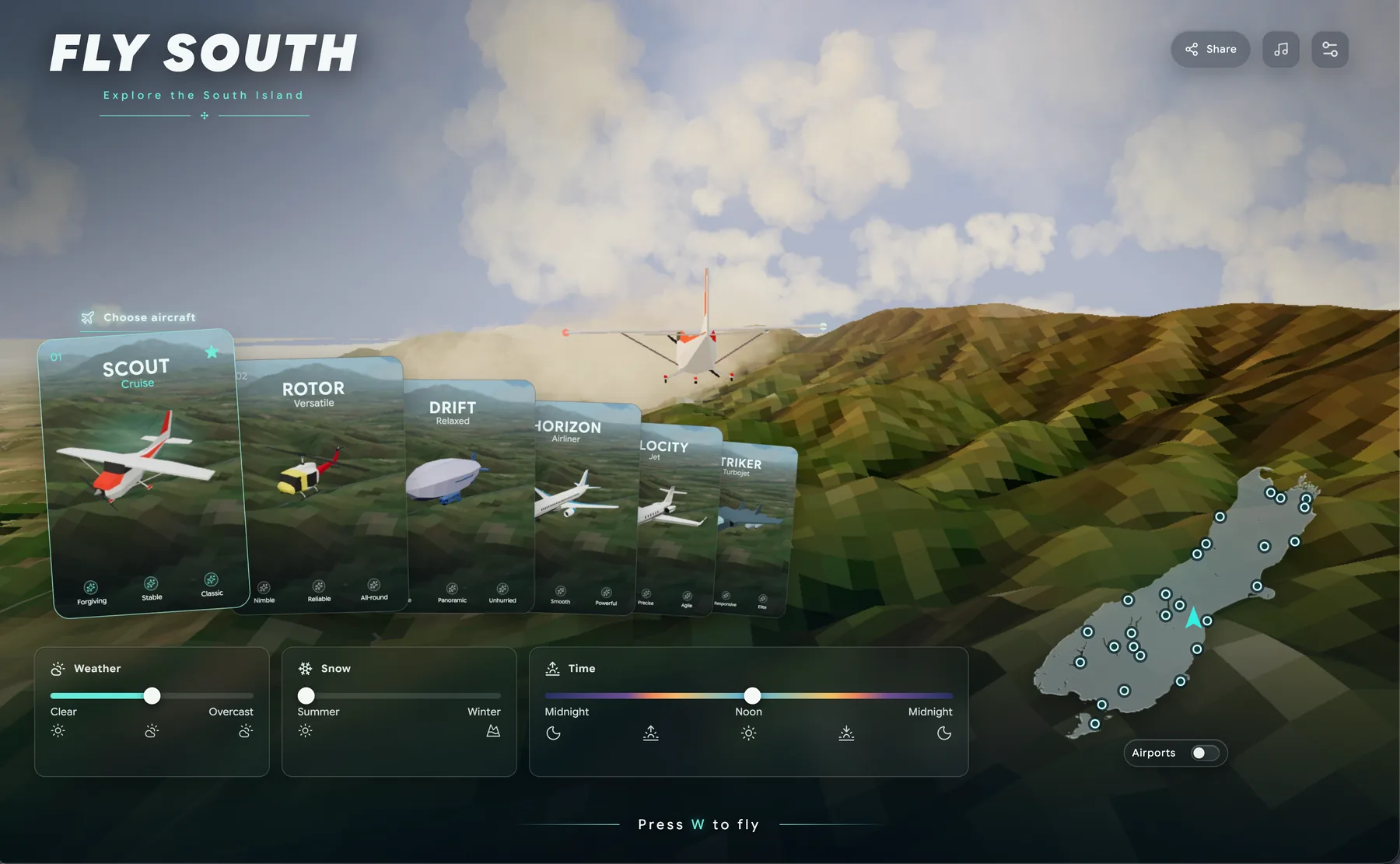
Fly South is a scenic flying and exploration game across Aotearoa New Zealand’s South Island. Choose an aircraft, set the weather and season, then roam through mountains, lakes, coastlines, towns and airfields.
Explore the South Island
Fly freely across a stylised, data-informed landscape inspired by Te Waipounamu. Discover places including Fiordland, Milford Sound, the Southern Alps, the Mackenzie Basin, Queenstown country and the Canterbury Plains.
It is designed as a relaxed browser flight game: there are no missions to grind through and no cockpit view — just aircraft, atmosphere, landmarks and the pleasure of seeing the landscape from above.
A small world to wander
Every flight is a little different. Pick a starting point, choose the aircraft that feels right, and make your own route through the landscape. You can fly low over lakes and roads, climb into the mountains, follow the coast, or simply drift through the weather and light.
The world combines real South Island geography with a deliberately stylised visual language. Terrain, water, roads, buildings, vegetation and airfields are streamed around you as you fly, so the game can feel expansive while remaining a simple link you can open in a browser.
What you can do
- Fly planes, jets, a helicopter and an airship.
- Start from airports, runways and scenic locations.
- Change clouds, time of day, summer or winter conditions, and graphics settings.
- Explore a New Zealand flight simulator-inspired world directly in your browser.
Places to explore
Start with Milford Sound / Piopiotahi, or jump straight into one of the game’s existing launch points below. These links open the game with that location selected.
Airfield departures are also available from the launch map, including Christchurch (CHC), Queenstown (ZQN), Dunedin (DUD), Milford Sound (MFN), Mount Cook (MON), Wanaka (WKA) and more.
Made for the browser
Fly South is built with Three.js, WebGL and Svelte. Three.js handles the 3D scene and aircraft, while the game’s own streaming systems load terrain and world detail as it becomes useful. The map is based on transformed geographic data and credited open-source assets, with the goal of making a beautiful, lightweight place to explore rather than a strict training simulator.
There is no account to create and no download required. Your preferences and flight statistics are kept locally in your browser.
Browser support
For the best experience, use a current Chromium-based browser such as Chrome, Edge or Brave on a desktop or laptop with WebGL, hardware acceleration and DecompressionStream enabled. Firefox may work well depending on the device and graphics driver.
Safari is supported as an experiment, but performance and graphics stability can vary more there. If the game is slow, shows a WebGL error or struggles to load, try Chrome or Edge first, make sure hardware acceleration is enabled, and close other GPU-heavy tabs.
Touch controls are available on supported mobile and tablet devices, but a larger screen and stronger GPU provide the best experience.